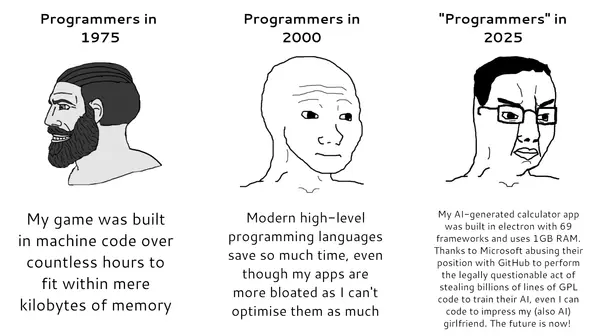
- My gaming PC that I built in January 2006 that IIRC I used to simultaneously run Battlefield 2, Trillian, Xfire, Thunderbird, and Winamp with a 1680x1050 monitor had 1 GB of total system RAM.
- Some of us still know how to write software like that. And enjoy doing it.
I made a little conference schedule app a few weeks ago for a conference I was at. I used my own rust UI toolkit, which calls in to cocoa to make use of native UI components. The resulting binary is about 500kb and it uses a couple megs of ram while running. It looks and feels like a totally native iOS app. As far as the OS is concerned, it is.
Even 500kb feels too big for what it is. I’m rewriting the core at the moment, and I think it’ll be more efficient as a result. But I’m still pretty happy with it.
- AI writes code like that, but people get pretty upset hearing it.
The program that I use to manage my small business, basically a GUI wrapper on an sql DB is a total delight to use, because everything happens instantly. Even opening it is instantaneous.
Modern software is such a bloated mess that you kind of get used to a 20 second start-up and a .25-1 second delay on every action. Then you use something that isn't bloated junk and it feels like actual magic.
- What happens if you keep asking AI to rewrite it to use less and less resources?
- Is your UI kit open source? I do think calling into the native OS toolkits is the way to go, when they exist.
I'm curious if you use winit for windowing, or something lower level that's just mac specific.
- I ported the leptos rust web framework to run on native platforms. Currently it works on ios, macos and linux (GTK). Eventually want to also add support for windows and TUI as well. It uses taffy for layout - which gives you the same flexbox and grid layout engines that web browsers use. Components are all fully native for the platform, via their corresponding binding crates (objc, gtk4, etc).
UI library is here: https://github.com/josephg/leptos-native
And here's the schedule viewer app I made with it. It runs silky smooth on device: https://github.com/josephg/dweb-sched
The whole project is currently experimental & vibe coded. It's missing a lot of components, and it has bugs. I'm currently rewriting it by hand to do it properly.
- SwiftUI’s diffing is such a mess that I wouldn’t be surprised if fine-grained reactivity of a toolkit binding UIKit like this worked better. Do you have decent support for long lists via UITableView yet? Edit: it seems so!
- Yeah! I added it for my ios scheduling app.
I tried to learn SwiftUI a few years ago. XCode was horribly slow, and it would hang and crash all the time, even when working on small example projects. I'm excited by the thought that I can use any rust IDE to write UI code. Rust's compiler, toolchain and IDEs seem way more reliable.
The view! builder macro at the moment is designed to look like JSX, since it was ported directly from leptos. But I'm considering dropping the jsx and using a fluent API. Something like this:
Code is a bit less readable like this, but autocomplete and cmd+click all works out of the box in your IDE.let count = RwSignal::new(0u32); let view = vstack().padding(16.0).gap(12.0) .child(label().text(move || format!("Count: {}", count.get()))) .child( hstack().gap(8.0) .child(button() .on_click(move |_| count.update(|c| *c = 0)) .text("Clear")) .child(button() .on_click(move |_| count.update(|c| *c -= 1)) .text("-1")) .child(button() .on_click(move |_| count.update(|c| *c += 1)) .text("+1")) );
- I still miss Battlefield 2. There is really nothing like it today, not even close. The dynamics with squads and a commander and A+ physics and overall game balance remain unmatched for all FPS games.
Fortnite, PUBG, COD, all are disgraceful in comparison.
- BF2 was great, BF3 was definitely better, not that there was anything at fault of BF2.
I disagree with Fortnite and PUBG, whilst PUBG is a little clunky it did usher in a completely new game style AND importantly introduced much better situational audio which other games didn't have.
- Check out BF2Hub. The community isn't big, but you can generally find a server or three with real players in it (just look for players with a ping; 0 ping means a bot).
- I miss the squad gameplay of Battlefield 2 too. It hasn't been replicated since, in my opinion, and subsequent Battlefield titles changed the classes and made the available loadout options too flexible to require specialized play.
- Fun fact, one of the XFire cofounders won Carmack's Ferrari at a Quake Tourney:
https://en.wikipedia.org/wiki/Dennis_Fong#/media/File:John_C...
- I remember within the last decade noting that minesweeper from the windows store took more space than a pretty damn healthy Win98SE install (with minesweeper)...
- Before I built a gaming computer circa 2004 I daily drove my family's old beige box that had a 350Mhz Pentium II with 64MB of RAM and Windows 98. I remember running CDex (because ripping CDs was all the rage), Trillian, and ZDaemon all at the same time without a hiccup. What a time to be alive!
- I just set up a web server for a hobby project on a $10 Dell PC that has 2GB of RAM welded to the board. After booting Debian 13 it still has 1.6GB of free RAM.
In fact, that seems a lot. Back in ~1996 I was running one of the EFnet servers on a Compaq with 8MB of RAM.
- Trillian, good old days. Still remember my icq number
- Think about all the performance you could have gained by instead running Trillian and Winamp on an old Thinkpad next to you with even less ram
- take me back
- Haiku OS is trying.
- Putting aside the fact that it is horribly bloated. Accurately measuring RAM usage is tricky, there are several measurements, and no "right" one.
It is clear from the article that what eats up so much RAM is not the weather app itself but the framework it runs on. There is a "Renderer", a "GPU Process",... eating most of it.
The thing that the task manager doesn't tell you is whether or not these are shared components. It may be that the 662 MB used by the "Renderer" is shared between many Windows components, so killing that Weather app may not reclaim as much space as you may hope, instead, it would require killing every user of the component, some may be core system apps.
In addition to the distinction between private and shared memory, there is also the distinction between actual RAM usage and and virtual memory. It is possible for a process to memory map a 100 GB file. If you look at the address space, it will take 100 GB more of virtual memory, even though it may be actually zero physical RAM, but it is not always zero either, the parts of the file that are currently accessed take up some space, which may later be reclaimed by the OS by committing the page to disk.
Even the most obvious "I do a big malloc()" kind of memory use is not that obvious, the OS can overcommit, put stuff into swap, use memory compression, etc... And it can do that even if the system is not overloaded, as to make more space for the disk cache for instance.
So seeing "1 GB" in the task manager is just a vague hint of how it may affect performance. And not all "task manager" tools give the same value for the same program (so Windows vs Mac may be misleading). "Process Explorer", a more advanced version of the Windows task manager can give a lot more details, with different values of memory usage depending on what you are looking at.
- > The thing that the task manager doesn't tell you is whether or not these are shared components. It may be that the 662 MB used by the "Renderer" is shared between many Windows components, so killing that Weather app may not reclaim as much space as you may hope, instead, it would require killing every user of the component, some may be core system apps.
It is the other way around, shared memory causes Task Manager to _underestimate_ memory usage. Task Manager's default views report the process private working set, no shared memory included. This means that 662MB is the _minimum_ amount of memory commit that would be released by ending the process.
> the OS can overcommit
Windows does not allow overcommit by default. It may compress or optimize memory allocations to reduce the physical working set, but the kernel will start failing memory allocations once physical + swap is exhausted regardless.
- > It may be that the 662 MB used by the "Renderer" is shared between many Windows components
From the screenshot in the article, this is the memory usage of the Renderer process spawned by the Weather App. I find it very unlikely that some other app (say, the Copilot app) can then piggyback on Weather Renderer process. Do you have a source for this?
> killing that Weather app may not reclaim as much space
Closing the weather app on my PC does in fact kill all child processes and frees up around 1GB of committed RAM. Are you not seeing the same?
- Separate Renderer and GPU Process is just typical webview2/electron
- The weather app itself and the framework it runs on are the same thing when talking about resource usage.
- > It is clear from the article that what eats up so much RAM is not the weather app itself but the framework it runs on. There is a "Renderer", a "GPU Process",... eating most of it.
You say tomato we say tomahto
At the end of the day bloated app is a bloated app its consequences are the same.
- > the 662 MB used by the "Renderer" is shared between many Windows components
Fine, shutdown the weather and stock ticker apps.
- Easy workaround for this:
1. Install uBlock Origin in Edge.
2. Start Edge, browse to MSN Weather.
3. Click the "Add an Application" button in the address bar to get a Start Menu icon for the page.
4. Delete the in-box Weather app icon.
Now you get the same Weather app in about 130MB of RAM, with no ads. It's not as nice as a native app, of course, but it's 1000% better than the useless ads and MSN feed that you can't block from the built-in Weather icon.
(Also, go into Widget settings and turn off "Discover / Microsoft Start feed". Same crap, different surface. Get rid of it.)
- "Now you get the same Weather app in about 130MB of RAM"
What a wonderful world we have created where the fix for a 1GB RAM guzzler reduces it to a mere 130MB.
Now I could start off with my old ZX80 or even my C64 (which is doing fine, thanks, and sports a USB "drive" next to its Quickshot II) but I think my first 80486 is a realistic comparison.
That ran at 25MHz, had a maths co-pro in it had 4MB RAM, a 20MB IDE HDD and I think the Orchid graphics card had 0.5MB RAM. The monitor was of course a 14" CRT VGA. OK so late 1980s!
However, that thing could run Win 3.1 and Word 2 and I think I managed to wedge a dodgy copy of Quark Express on it. I could play F117 and other games on it.
Oh well, lets see what this Linux box has on it:
/usr/bin/inxi - 1.4MB
Obviously, I could install a Flatpak to do that instead and waste far more resources 8)$ inxi -w Yeovil,UK Weather: Report: temperature: 16.05 C (61 F) conditions: scattered clouds Locale: Yeovil, UK current time: Mon 10 Aug 2026 01:16:05 BST Source: OpenWeatherMap.org - 1. install ublock origin on Firefox.
not even being annoying, edge is removing manifest v2 very soon, breaking proper ad blocks just like chrome
- [flagged]
- This is a narrative that MS, Google etc want you to believe. They gutted it for ads. That's what's happening. There are workarounds now, that's what the existing ad block options are. They are heavily kneecapped.
- [flagged]
- No, but you failed to comprehend the section of my comment where I mentioned "workarounds [...] are what the existing ad blockers now use"
- MV3 is severely limited in what it can do. One example that blew my mind is that chrome happily renders webpages immediately after application launch, while extensions are still loading.
Firefox, in contrast, doesn't let the network request fire off to the page until every extension is ready. So chrome is essentially screwing over the user, letting ads/ blocked content load, and intentionally degrading their experience, to make things appear slightly faster.
- That's nothing to do with MV3 though, that was also true with MV2. The situation actually seems improved in MV3, because static (and dynamic, IIRC) DNR rules are initialized and enforced immediately, right?
- >MV3 is severely limited in what it can do.
Yet, I never see ads since ad blockers still have enough power to block ads.
- “If I can’t see it, it must not be there”
- That's the point of an adblocker. Web pages have ads, but with the extension they aren't there.
- > According to Windows Latest, the high memory consumption is due to the fact that Weather is not a fully native Windows application. Instead, it is essentially an MSN Weather web app built on Microsoft's WebView2 framework.
I wonder how this approach is having such an high reduction in memory usage compared to what’s stated in the article. I would assume both use the exact same WebView here.
The only explanation here that I can think of would be that the “Add an application” starts it under an existing Edge process which shares it’s memory instead of completely isolated.
- Yes, using an already-running Edge instance saves a bunch of memory. Also, this approach has the advantage of allowing all of your browser extensions to modify your Web-App experience. WebView2 doesn't relay Edge extensions.
- WebView2 has some memory optimizations across several WebView2 instances, so it should save memory once you have multiple WebView2 apps running.
- Reminder that all Chromium browsers are hostile to adblockers and are actively removing them.
Use Firefox with uBlock Origin, do not use Chrome, Chromium, Edge, Brave, Vivaldi, etc.
- The weather app isn't a native app either:
> According to Windows Latest, the high memory consumption is due to the fact that Weather is not a fully native Windows application. Instead, it is essentially an MSN Weather web app built on Microsoft's WebView2 framework. Task Manager shows multiple Chromium-based subprocesses running simultaneously, which contributes to the unusually high RAM usage.
If you have Edge or Chrome open (or anything else that similarly uses Chromium) then the incremental increase in RAM usage from the Weather app is likely much smaller than the headline 1GB.
- > Easy workaround for this
Wipe Windows from your machine. Use Arch Linux. Problem solved.
- The most-difficult part of installing any Linux distro is getting the motivation to create the boot media. Luckily for Ubuntu (I'm running v26) you can use an old HD or USB and then [your flavor of LLM] to then walk you through the steps on how to make the media bootable (at least: that's what I did). I am a bluecollar electrician (yes, it took me a few tries; yes, I accidentally fucked up my first few OS's doing stupid not-recommended shit).
----
Highly recommend Ubuntu; I've dabbled in the past, but the fact that AMD and nVIDIA drivers are pre-installed, in a user-friendly GUI installer... is what has helped me make Linux my main desktop (over the past half-year). Bought a Microcenter prebuilt and never even booten Win11 (straight to Ubuntu installer).
Over the past three decades, I have really tried to like several Linux'es, but have always reverted to (e.g:) Win7 or MacOS. Being able to run local LLM-models is what led me to Ubuntu (RX580->VEGA64->5070Ti)... it's been a journey =P
- Agree with this. As much as Ubuntu is derided for several reasons, it just works. I tinkered with different distros for years, and while it was super fun, I wasn't very productive. Ubuntu and Fedora are the only distros where stuff just worked for me.
- I too want to shout how it's the Year of the Linux Desktop but I've been fighting mate-clock-applet recently. It has a memory leak, somewhere, and it slowly consumes RAM.
Normally though it's ~65 MiB for both clock & weather.
Also mate-screenshot is leaking RAM/processes. About ~40 MiB leaked per screenshot.
These things do tend to get fixed over time, though.
- Been using Gnome on Arch, it's been unbelievably stable
- waiting for a quick simple straight forward tool on github that takes care of this... Anyone?
- A better workaround is to install Linux. My entire operating system, which includes Niri window manager and Dank Linux running a weather app, among many other things takes less around 1 gig of ram.
- Yes, switching operating systems is a reasonable alternative to switching weather apps
- As embedded guy, sometime i wonder what those web devs are doing. A simple app that consumes multiple magnitude more RAM than the entire system i usually working with(~1MB). I assume it just does some HTTP query and render it on the screen, why the heck 1GB of RAM ?
- There's a bunch of other requirements you need to meet and no one cares about RAM consumption. So you do it the most time efficient way, not the most memory efficient.
Before you scorn, doing it the opposite way, taking more to use less memory, makes you less promotable, not more.
- And this is why Windows will have it's lunch eaten by Linux.
- Just the absolute laziest implementation
- They're pointing to macOS and saying it uses 5 times less RAM there, but is 230MB for a weather app really something to be proud off?
- Here is an example of one built using Real Basic on Mac Os system 7+. Probably uses less than 1MB.
https://tinkerdifferent.com/threads/snazzy-weather-a-snazzie...
- And what's funny was at the time, REALBasic apps were seen as "bloated"
- The thing with ram is that once you can fit everything you want into the space you have available there is little benefit in optimizing further or getting more space. 1gig -> 230MB may be a large enough reduction that it goes from "too big" to "small enough".
- 2025 and 2026 have proven that to be vastly untrue. It was never true. If it was anything, it was rampant laziness.
- As time goes on, I become more and more convinced that OSes need some sort of OS level GC pool which all GCed languages play in rather than having the language runtime provide the GC.
A major part of why these sort of simple applications are taking gbs of memory is because the GC wants to simply grow as much as it can to avoid pauses/jank. There might be 10% of the memory which is actually live in that 1gb. But because it allocates fast enough, the extra headroom is needed.
Even if it isn't the case that the GC is universal, having a shared GC amongst runtimes would be a boon in general. If I have 3 JVMs running, I might give them all 1gb of memory even though really each of them only needs 200mb to get their job done. The extra headroom is for when a burst happens. If I could combine all 3 into 1, I could save a lot of allocation overhead and general memory.
This does sort of exist in java (war deployments), but there are limitations that make it unappealing. For example, each of the JVMs have to be the same version.
- Which is what OSes implemented in system languages with automatic memory management usually do, it is an OS service.
Oberon example,
https://people.inf.ethz.ch/wirth/ProjectOberon/Sources/Kerne...
Active Oberon example,
https://github.com/btreut/a2/blob/master/source/GarbageColle...
Bare metal Java, Go, .NET, Erlang, OCaml,... with bare metal deployments naturally have the runtime take the OS role.
- This is far from trivial. Consider the WasmGC proposal, which had a somewhat similar goal.
Then C# came and said "we can't use it, we have different needs". So did Go.
- > Then C# came and said
It's worse than that. The WASM GC standards team was warned in advance that the proposal wouldn't work for .NET, and they moved forward with it anyway:
https://github.com/WebAssembly/gc/issues/77
They were also warned about Go (though I'm not sure if they ever actually consulted with golang devs):
https://github.com/WebAssembly/gc/issues/36
More links:
- The ram usage in this case is an order of magnitude lower if you install ublock in edge, as other comments have noted. Why would a system level GC affect wasteful adtech?
Any marginal efficiency gains will be wiped out with more adslop. Nathan's law.
- > A major part of why these sort of simple applications are taking gbs of memory is because the GC wants to simply grow as much as it can to avoid pauses/jank. There might be 10% of the memory which is actually live in that 1gb. But because it allocates fast enough, the extra headroom is needed.
There’s very minimal state for a weather app. You should be able to sweep the whole thing pretty fast. You could probably statically allocate most of that state.
- > There’s very minimal state for a weather app.
Except when it uses some kind of browser engine to render its UI?
- This took me down a rabbit whole. Why can a simple single purpose app not be just a couple megabytes if not less? The popular options are electron 100MB+, or embedding python3 in your executable which is at least 40MB.
But if you build it natively, you should have all of Microsoft tools at your disposition, dlls and such. In theory, this should allow you to make a 1 mb app or less. But in practice, it's the worse option.
- Pictures and frame buffers. If you're running fullscreen at 4k, you're probably gonna take two roughly 3840x2160x3 byte frame buffers for the window. Your designers want a background image which moves as you scroll in some parallax style; that's over 3840x2160x3 bytes more for the pixel buffer backing the image layer. And let's say roughly 50% of your screen is text with subpixel (aka full color) anti aliasing; that means another 3840x2160x3x0.5 bytes for the pre rendered text.
3840x2160x3x3.5. That's 87MB, in pixel data only. And it's a very minimal example; for the parallax image, you're gonna want the image to be significantly taller than the window; you're gonna want a ton of smaller (tho still high DPI) images for icons; a few different font atlases for different font faces you've loaded at once; maybe pre rendered pixel buffers for all sorts of UI components; etc.
And lord help you if your designers want any part of this to be animated.
(I'm playing a bit fast and loose with what lives on the GPU and what lives on the CPU here. On many systems, they share a memory pool anyway. But on systems with discrete GPUs, most of this is gonna be video memory. Though applications may wanna store CPU-side copies as well for various reasons.)
- >Your designers want
Sometimes, you need to tell the designers NO. Moving background images don't help people figure out what the weather is going to be.
- Many people enjoy a tasteful weather app. Granted a “minimal” UX toggle would be easy to add to reduce memory for those who cared.
- I think the issue is with the recent definition creep of “tasteful.” Seems you might have the same mindset if you consider “minimal” to be the other option.
- Assuming the app even works - since we're talking weather, allow me to offer an XKCD
- Sometimes, you have to realize Hacker News is full of nerds that care about stuff nobody else cares about. Looks are so fucking important for many normal people. There's people that decide for or against a phone simply because it comes in a fun color.
- And sometimes your engineers need to be a LOT less stingy. 1GB is clearly overkill for an app such as this, but ~300MB is perfectly acceptable if it works well, looks good and does what it should do.
There is such a thing as overdesign, but when you’re building a modern application, you must trust your designer’s sense of aesthetics and knowledge of UX patterns—two things engineers are often notoriously bad at.
- > ~300MB is perfectly acceptable if it works well, looks good and does what it should do.
No it isn't. It isn't a word process for gods sake. It has one literally one job and 300 MB is like an order of magnitude off for that. This mentalty is the slippery slope that led us to the situation in the OP today.
- You're off by 2 orders of magnitude if you think that a not completely incompetently coded weather app genuinely needs that kind of resources - even allowing for aesthetic choices and modern UX patterns.
- Dunno. Many designers are pretty bad at UX. They’re OK at aesthetics, but that’s not the same thing.
- Ah yes, Microsoft is famous for good modern UI/UX.
- Honestly if the image is of the current weather it kinda does. I don't mind e.g Apple's weather app design at all
- You probably have a SVG renderer in memory already, and you already have a frame buffer and/or compositor buffer(s). Why should adding a graphical representation of the weather require more than a few KiB?
- In a composited window system (i.e., any Mac since Mac OS X and Windows since Vista [I think]), rendering from an SVG would have to occur in a window buffer owned by the application, so it wouldn't save any appreciable amount of memory, assuming the buffer is the size of the window. The days of having an application draw directly into the framebuffer are well in the past.
- Because a big picture looks pretty sometimes?
Not sure what you think "having an SVG renderer in memory" means exactly, typically the way an SVG renderer works is that you give it a huge chunk of memory and ask it to draw pixel data there from the SVG file. So even though the SVG is small on disk, rendering a 1000x1000 image from an SVG is gonna need a 1000x1000x3 byte pixel buffer (assuming no transparency or HDR shenanigans)
- > 1000x1000x3
Cool, that's 3 MB
- > i'm playing a bit fast and loose with what lives on the GPU and what lives on the CPU here. On many systems, they share a memory pool anyway. But on systems with discrete GPUs, most of this is gonna be video memory
Yeah this is irrelevant here, windows doesn't share both in 99 of the case.
- What do you mean by "windows doesn't share both"? Windows doesn't get a say, Intel iGPU systems literally don't have video memory
- IGPU systems on Windows usually set aside a fixed pool of memory for the graphics usually set by the platform. As in, if you need more video memory you need to go to the BIOS and reconfigure it. When you look at total system memory available in Windows it's the total installed minus however much you defined for the video memory. If you need to have the GPU mess with something you still have to a copy it from the system side to the GPU side. Applications can run out of video memory while still having available system memory.
It's only been somewhat recent that I've personally seen much hardware that allows for that reservation to be dynamically defined, and not with any Intel integrated graphics so far.
- Iris Xe in 12th-gen do this, no idea since when it's added. There's still a minimum configurable shared allocation option in the BIOS, probably for legacy OS, but after booting Windows it can take up to 8 GB of the system RAM.
- DWM quite literally does that all the time. For the general case it allocates GPU memory, but also swaps to system RAM or uses it as a synchronization mechanic when you have one screen on an igpu and the other on a dgpu.
- Good point. Though 4k image assets mean more that they look in 4k, not that their size is 4k. It might not be 87mb, but still way more than the couple mb I suggested.
- ??? Fast and loose is an understatement, at best it's a view from a rendering engineer that thinks all software acquires a DXGI swap chain and handles buffering itself, but it's flat out wrong and over two times too high at the very least.
* Not every app is full screen (especially not a weather widget.)
* Very few people actually have a 4K display. 1080p and 1440p cover over 75% of users already.
* You do not allocate a separate buffer for the main content and the parallax, applying a different transform does not need a dedicated buffer, just something the size of your asset. It can be a 640x480 upscaled asset for all you care.
* You also don't allocate a dedicated buffer for text rendering/hinting. Your text rendering engine keeps a texture atlas in a buffer which is eventually maaaaaybe reach a 4k texture if you display a TON of various glyphs, realistically they won't. DirectWrite will also share this atlas with other executables unless you explicitly ask for isolation.
* On windows, you write to DWM, which keeps a single buffet for all your windows. Every window does not pay that memory price. I'm pretty sure most compositors do something similar.
- * I never said all software handles the swapchain itself. The front and back buffers are obviously not usually allocated in user code. But they're allocated nonetheless and contributing to memory usage.
* Not every app is fullscreen, but I was using a maximized app as an example. If you make the window smaller then yeah obviously the numbers get smaller proportionally.
* A ton of people have 4k displays, it's difficult to find a moderately high end laptop without a 4k display these days. In any case, that was the hypothetical example I used.
* If you have a window that's roughly 4k resolution, and you want a background picture which fills the entire window, that's gonna be a roughly 4k resolution pixel buffer (unless you stretch a smaller image, but that looks ugly).
* Depends on the text renderer. I have mainly used pangocairo, which is based around CPU rendering text to a pixel buffer. I know that this is the typical recommendation for handling high quality rendering of longer pieces of text with Canvas on the web too. Maybe a typical win32 app actually does render each glyph fresh every frame from a font atlas, I'm not familiar with Windows APIs specifically. I apologise for the inaccuracy if that's the case.
* I'm pretty sure you're wrong here? If DWM has only one buffer which all windows share, how does it handle the case where a partially obscured window goes unresponsive for a bit as the user removes what obscures it? In old school non-composited X11, the answer is that the X server paints in the newly revealed area with grey pixels and asks the window's process to re-render that region, causing a lingering grey region if the app is frozen. Preeeetty sure that Windows 11 doesn't do that. But do you have documentation on this?
- A lot of these applications run in Electron or similar libraries where a whole new browser instance, with all its overhead, is stood up for each application. The simplest answer is we need to stop trying to use web technologies as a one-size-fits-all GUI toolkit.
- Chromium is actually fairly efficient when shared across multiple applications. If the webview2, which is probably what the weather app uses, would not create a whole browser per application but rather just the renderer process and the rest shared system wide it would be a couple hundred megs at most.
- > This took me down a rabbit whole.
The rabbit was too hungry to even stop to chew you?
- Haha, and it's far too late to edit!
- Beware the rabid rabbit and don't let your whole near his hole . . .
- The visual assets alone will be tens of megabytes.
- Should be able to get by with using system graphics
- For a weather app, you should be able to get by with a couple base vectors you modify based on conditions.
- On disk yeah, sure. But you're gonna render them into a pixel buffer which lives in memory.
- How did applications do it before? Like in the 90s or 00s
- WAY lower resolution screens so pixel and frame buffers were a tiny fraction of the size, non-composited graphical environments which meant there was one fewer frame buffer per window, and a visual style which typically emphasized large pictures/animations less.
- They had fewer graphics, and much lower resolution screens.
- Windows 98 SE kind of went overboard with the graphics (remember Active Desktop?), and a common screen size at the time was 1280x1024. But if you run modern stuff at 1080p (60% more pixels) or 720p (fewer pixels), you're not going to see comparable memory use.
- Windows 98 wasn't composited, which makes a huge difference.
And to be clear, there's a ton of unnecessary bloat today as well. It's just that even a lean and mean highly hand optimized native app is gonna be way bigger today than it was then, due to compositing, higher resolution assets, higher resolution screens and different design sensibilities. But most apps aren't lean and mean highly hand optimized native apps so.
- Compositing means you can excuse an extra dozen megabytes per megapixel of window size. The window in the article is less than a megapixel. That factors in the relevant part of screen resolution too. High resolution assets should scale alongside window size too, adding a fraction of the above dozen megabytes.
And I'm saying 98SE already had image-heavy design sensibilities all over.
You don't have to highly hand optimize to run a weather UI in a lean way.
- > and a common screen size at the time was 1280x1024
Maybe if you were really rich and only used high end desktops. A lot of the computers I used back then were still 800x600, fancier ones were 1024x768. If you happened to also have a 2D accelerator card you'd potentially have 1280x1024. And lots of apps purposefully ran at a much lower color depth, it was common for games to run at 8 or 16 bit color mode.
- I saw a lot of computers set to 800x600 but I don't recall any that couldn't be switched to at least 1024x768. Which is still quite close to 720p for making this comparison.
And yeah lots of fullscreen-ish things ran in lower color, but this is about desktop mode and I never saw a desktop mode that struggled based on color depth.
- Cheapest local brand 15" CRTs could do 1280x1024 in early 2000s. because you weren't limited by the panel unlike LCDs.
You'd need better than perfect vision to be able to make use of it, though.
- It's less of a question of if you could get a CRT that could do it versus having a PC with the video RAM and drawing performance to do it effectively at high color bit depth. Tons of extremely common desktops at the time shipped with only 2-4MB video memory with their integrated graphics chipsets. You're not doing 1280x1024 at 32-bit color with 2MB of RAM.
- Early 90s maybe. By the end of the 90s and definitely early 2000s CRT screens were 1024×768 for the cheap crap and 1600×1200 for the high-end (with 1280×1024 as a mid-range).
- Yeah sure you can take a machine with only 4MB of video memory and try to draw a 1600x1200 CRT, but you're not going to be able to have that many colors.
It often wasn't a limitation of your monitor, it was a limitation of your video adapter. Rattling off some common specs of monitors isn't telling the full story of what most random people were actually experiencing.
I still remember having to upgrade our main home desktop at the time of Warcraft I I'd release because it didn't have enough video memory to meet the 8MB minimum needed. That was in 2002 on a machine purchased with XP, a Pentium 4 HT with 512MB of system memory. Not necessarily a low end machine, but obviously not a gaming PC at the time and much newer than many systems sold for Windows 98.
- Do all visual aspects of a weather app need to be loaded at once? Is the cost penalty loading a hundred kilobytes per image from disk really unacceptable?
- Even if the app is no longer using that memory it is not released until Windows thinks another app needs it.
- And then people complain about how unresponsive applications are, all these little stutters as things pop in.
- It can, but you have to know what you’re doing and you have to know it very well.
Looking at the opposite extreme, the guy that originally wrote the windows task manager (the thing that popped put when you pressed ctrl+alt+canc) posted a video about cloning the windows basic text editor in a 3kb binary: https://youtu.be/OG91c7xsNMc
Needless to say, the guy knows what he’s doing.
- And it also ads on it.
Really Microsoft? Do you really need all the ads revenue from the weather app?
What’s next? Ads on the start menu?
- Microsoft absolutely doesn't need it, but I'm guessing the weather app team (or the core filler apps team or whatever team is responsible for it) needs it to juice a metric to make some middle manager happy.
And it makes the middle manager happy because it lets that middle manager report better numbers to their superiors again.
Etc.
It's why all large dysfunctional organisations do self destructive stuff like this.
- “What value are you bringing to the company?” translates to “if you’re not printing money, you lose your job.”
- I once worked on a project where the goal was to improve the reliability of MS Teams. The skip level manager was not happy when we said we cannot estimate what the revenue gain would be because it can't be measured.
- This risks getting into the Fisherian/Bayesian stats wars again, but it would be possible to project a revenue gain, even in advance of making the change. You'd do this in terms of improved customer retention, lower cost of future customer acquisition, increased price a Teams license could sustain based on a rep for higher reliability, etc.
Obviously it's not a change that you'd be able to pin a specific human decision-maker (who was marginal on Teams) down as to this change being the difference between a sale or not, but nor is the change in revenue going to be a random number uniformly distributed in (-∞,∞).
If the change was revenue-neutral, the skip level would probably have been justified in seeing if the teams working that project could have found something to do customers actually care about instead.
- [dead]
- Any manager who doesn't push back when given a perverse incentive should be fired. They are not leaders, they are followers... And not even very good followers.
- Yet they're the ones who get promoted because their KPIs are the best.
- Fired by whom? Where do you think these perverse incentives are coming from?
- > What’s next? Ads on the start menu?
They already exist: https://www.howtogeek.com/windows-11-start-menu-ads-how-to-t...
- Patent was being sarcastic. Everybody heard about (or had the displeasure of seeing) those ads.
- Don't they even had it earlyer and even let the DNS expire, so someone else could spam the startmenu?
- Yeah it is actually really sad when a company the size of MS still bows down to the great god Advertising!
Avert ye eyes for there are no morals in these bad lands of Redmond!
- They do. Never forget, Microsoft's goal is to squeeze as much money from you as possible.
- That’s the goal of every publicly-traded corporation in a mature market. Wall Street demands ever-increasing returns and they can’t grow their customer base much so cost-cutting and fleecing existing customers are the only levers to pull.
- In Windows group there used to be a review where you had to tell the board why the module you try to merge into main branch moved the baseline up by 100KiB.
- It will be interesting to see whether OS and application developers start to face commercial pressure to debloat their applications.
For operating systems and their bundled applications, Apple's integration is an advantage here; the OS designers work for the hardware company and have aligned incentives. That doesn't mean they necessarily align with their customers, just that they are internally aligned.
Microsoft...do they even care about the snappiness of Windows desktops any more?
- > By comparison, Apple's native Weather app on macOS reportedly uses less than 250 MB of RAM
That's also bloated, couldn't they find a better comparison to illustrate the egregious waste?
- It’s an equivalent app to make a comparison with, one from an OS company.
But yeah, I still remember when a weather app would take 10 MB and I was complaining (1999)
- I prompted my own windows taskbar weather app in rust with radar and forecasts and it's 233 kB.
https://github.com/derac/WeatherTray
I use Linux now, so you're on your own if there are issues. It might require some windows library to be installed but I don't recall. I ran it for a long while on win11.
- Not trying to excuse the Windows app's memory usage, but these are vastly different apps. Your app is nice, don't get me wrong, but it doesn't have anywhere near the same number of features as the default weather app. In some ways that's a pro for the Windows weather app (animated radar, easy to pan around in the radar view, extra map modes, lots of graphical elements to the presentation), in some ways yours is better (ad-free, for example).
Don't get me wrong, I imagine one could get close to the same featureset while using <600+ MB of RAM, but an app that just shows a table of numbers and a static PNG for a radar isn't really the same.
FWIW, while your compiled binary is 233kB, when its running its using 2.5-4.5MB.
- That's embarrassing.
Not your app, it rocks.
Microsoft. It's like some decision-maker thinks it's OK to waste memory as long as it's someone (everyone) elses' memory, but it really adds up if you know anything about scale.
But what they're also doing is a non-businesslike under-utilization of their own resources.
Which is disgraceful in itself on top of that.
They're supposed to have much better AI than average and nobody even bothered to ask ChatGPT why in the world weather should take more than kilobytes?
And if their AI can't do it autonomously in under a megabyte it should be able to give a plausible explanation why not by now, and at least it would be orders of magnitude better than a gigabyte.
I assume yours went smoothly as prompted and it surely is an excellent example :)
- > It's like some decision-maker thinks it's OK to waste memory as long as it's someone (everyone) elses' memory
My friend, you're giving them way too much credit.
Nobody, especially no decision-maker involved with this, has ever spent a single thought anywhere near any concept related to memory.
It just literally never crossed anyone's mind.
- They're supposed to have much better AI than average
I suspect there will be a bit of revelation once people realise how much better AI can make software if prompted correctly. Of course a lot of slop will always exist, but things like https://news.ycombinator.com/item?id=49226923 show that it can be a powerful force multiplier if used right.
- [dead]
- 250 MB is exactly the sort of bloat you'd expect from this sort of daft web-browser-wrapper application, and Apple get it there. 1.2 GB, on the other hand, is 5x as much, and completely insane even when you start off with daft as your starting point.
- Apple weather is fully native from what I understand. I suspect the 250MB comes from the video backgrounds they play. Arguably that would be a reasonable thing to sacrifice on low memory systems, you'd barely notice.
- I was able to do some tests with AI agent help and got:
- ~45 MB on buffers for animated backgrounds
- ~10 MB used for the Swift language runtime (runtime type information)
- ~44 MB used for system libraries: libSwiftCore, CoreFoundation, libobjc, Metal, VFX
- ~21 MB used on GPU buffers (GPU memory is also part of used system memory because of unified memory)
- ~6.3 MB for the weatherd daemon that actually collects the weather info and makes it available to the weather app and to widgets
- ~6.2 MB used for the display color pipeline (to handle color gamuts proprtly)
- ~7 MB runtime caches (shader compiler cache, libobjc cache, etc.)
- ~1-2 MB used for particle effects
- ~34-40 MB of memory as general heap memory that was otherwise unaccounted for (this seems to mostly be stack memory and threading-related stuff, and the actual application logic)
Overall the app is relatively optimized
- Nice find and summary. Of I'm not surprised to see the ~75MB for the high graphical fidelity of the app.
I am however surprised that 10MB is Swift language runtime - with ABI compat this is supposed to be shared, and that the weather daemon is >6MB (surely this is just a simple API client?!).
- Relatively optimized? typo?
- I think this depends on perspective. Compared to an Electron app, it's significantly better. Compared to a hand-optimised app implemented in a low level language it's not great.
I've not done a lot of Swift/iOS/macOS, but I have a passing familiarity. These numbers are basically what I'd expect for a normal app. In other words I think the relative optimisation comes from the fundamentally better technology choice rather than from being particularly careful about performance.
- [dead]
- 10MB to tell me the weather from a remote server...
Let's remember that the sprawling world of Legend of Zelda SNES (a Link to the Past), including all graphics, music, code and dialogue was 1MB.
- 1MB is about the lowest memory usage you can get on Windows 7, because of reasonable tradeoffs made in the operating system to things like buffer and stack sizes. The OS creates a few threads for you, those threads have stacks and they didn't optimize the allocation size of those stacks - they used a currently reasonable default.
- Depends on the app/framework but typically phantom threads don’t get started. Also, those stacks aren’t materialized until you write something - they’re all CoW’ed pages from a sentinel 0-filled page the kernel keeps around just for this purpose.
- It's been a while, but I believe Windows initialises an internal thread pool & parallelises (some parts of) process start / module loading
- You’re right. I hadn’t realized that Windows creates a hidden thread pool under the hood for parallelized DLL loading.
- What else might that weather app be doing to justify the memory footprint? MS might suck at memory efficiency, but you can't claim they'd ever miss an opportunity to monetize their users. How can a weather app make MS money? MS has asked themselves this, so maybe we should too.
- You're right that it's a matter of incentives, but it's because of cost not revenue.
It's bloated not because of a sneaky plan to include revenue generation. It's cheaper to make it bloated because quality is costly. They can externalize costs to users and nobody cares.
- I play videogames. As soon as it became technically feasible to patch games we began to see videogames come out with first day patches.
When you take away the constraints the slop emerges. You could not make mistakes in software when it was all printed on CDROMs and DVDs.
- I remember playing The Elder Scrolls: Daggerfall in the 1990s. It came on CD and was very buggy, and I would periodically call Bethesda and they would send me the newest patches on a floppy disk.
- 10 MB is ridiculously overbloated. 1 MB or something in that vicinity should be more like it.
- I think you guys on HN can be a bit out of touch maybe? On my linux machine (measured with tux-manager):
All these apps are what you would consider native, good apps. Written with Qt, GTK, some in low level langs like C\C++, Rust as well. There is of course different ways to measure the usage and maybe some more testing needs to be done, but stuff like 1-10 MB seems completely unrealistic. I think any empty Qt/GTK app eats 40 MB at least. Only thing that even gets close is st at 12 MB. And mind you it's a terminal (which is 1000x simpler than any modern GUI app, doesn't load any assets etc) and it doesn't even use any GPU accel (which itself seem to add a lot of baseline cost).nautilus 177 MB kitty 150 MB alacritty 107 MB mpv --idle --force-window 160 MB winit empty window + OpenGL context 100 MB tux-manager 69 MB hexchat 55 MB gnome-terminal 47 MB st 12 MB xterm 12 MBHonestly I was a bit surprised myself. I have a Rust winit + ash vulkan hardcoded triangle demo app and it eats 86 MB (the binary itself is 5.5 MB). I would love to know, if anyone could explain why GPU accel seems to eat up so much RAM. Like yeah, there are a bunch of images that live on swapchain, but they should all be in VRAM. Outside of that I don't see what would require MBs worth of overhead.
- Yes these are all very, very complex applications though.
But I agree: using more memory is good, actually, because it means more stuff is being cached. Nautilus is probably pre-indexing directory structure so it doesn't have to read disk every single time you open your home folder. That's good. Oh, and thumbnails. Thumbnails are incredibly expensive memory wise, but very useful!
Also modern apps have A LOT built-in. Tons of font management stuff, accessibility, they work on many different environments. I mean, look at everything that goes into a modern terminal emulator.
But... a weather app is much simpler, IMO, than Nautilus or Kitty.
- Counterpoint: Nautilus is both slower and less stable than Windows Explorer on large folders, even though the Linux filesystem is much faster. These super-indexed desktop linux search functions are also dog slow, while `grep` and `find` in the terminal are much faster (for searching inside files), and those certainly don't cache anything.
- Windows Explorer crashes for me about ~3 times a day at work, and takes down the taskbar with it, so not sure about more stable. I don't use Nautilus though because it's pretty bare bones compared to Dolphin. Also:
> These super-indexed desktop linux search functions are also dog slow
Baloo-indexed KRunner on Plasma is instant. I index my entire home folder, including hidden files, and I can substring search with imperceptible latency. I can't speak to other search implementations, but yes KRunner + Baloo is much faster than grep.
- Thunar is very fast compared to Nautilus.
- > Nautilus is probably pre-indexing directory structure so it doesn't have to read disk every single time you open your home folder. That's good
No it isn't good, and no it probably doesn't because it is kernel's job. I'd rather they don't do double caching, and it's actually worse if they do.
- Syscalls are expensive. It's not double caching, it's layers of caching. The kernel caches inside kernel memory space, sure, but you still need a syscall to reach that. Every application has layers of caching, it's very normal. This isn't even the top layer of cache, because of course the CPU itself has multiple caches.
But, for example, in a web application you will commonly cache requests. But then the database also has a cache. And then the filesystem the database is on also has a cache.
- > I think any empty Qt/GTK app eats 40 MB at least.
Classic GTK is (much) better (RSS on Linux):
Once it was decided that a desktop application must have fancy animation effects (like on smartphones) and be rendered completely on GPU things got very different:GTK2 14 MB GTK3 24 MBGTK4 98 MB- GTK used to be considered the bloated option along with QT. My first Linux box had 128MB of ram and it was screaming fast.
- At one point I ran graphical linux on a 20 mb ram laptop although admittedly that was very tight.
I also remember running nt4 with photoshop, word, and my IDE (borland delphi) all at the same time and comfortably in 128 mb of ram.
- What was the lean option?
- These apps have codebases going back to the 2000s when having 256MB ram total was a big deal, yet these apps could contend with that (while offering pretty much identical functionality). I remember one of the big arguments for GTK against Qt was that C++ relied heavily on templates, thus every C++ app would have their own copies of the same functions in RAM, while GTK was C, and a lot of those library pages could be shared. Qt even did some nonstandard tricks to cut down on this duplication, which was unpopular with the C++ people.
- My Windows 98 install got ten times faster when I went from 32 MB of RAM to 48 MB of RAM.
A fresh boot of my Windows 98 install at the time, once everything was loaded and settled, used up 27 MB of RAM, meaning that after 5 MB of allocations someone was getting paged out somewhere. That extra 16 MB made a world of difference.
Do bear in mind, though, that we're dealing with a lot more than we were back then. Our hardware is more complex, with more and more complex drivers needed to manage more things. Accessibility is different, screens are larger (my monitor now has 27 times the pixels as my monitor then) meaning more memory required for larger textures which are now composited in hardware rather than re-rendered every frame.
I agree with others that things are ridiculous these days, but it's also easy to see that our expectations also need to adjust somewhat. Still, using a webview for displaying the weather... I get why they do it, but it's a scourge. It's emblematic of their care for the customer, which is nonexistent.
- Casey Muratori has complained about the hardware driver overhead, because it is possible for hardware to have standard interfaces without needing a device-specific software translation layer, especially for more basic modes (like framebuffer).
- AFAIK, Qt's C++ extensions (moc, meta-object compiler) have nothing to do with how it reduces template bloat from containers, which is by moving some type-independent implementation parts to shared methods.
- > mpv --idle --force-window 160 MB
That's still a HUGE amount when you remember mplayer (which mpv was based on) ran on PCs that has had less RAM than that.
- Yeah, most of modern Linux wastes memory too. 100MB for a blank OpenGL context? Ridiculous.
- 10 MB is not too bad for a GUI app. If the app is full screen, display is FullHD and has 8 bit depth, that's almost 8 MB memory for the back buffer alone. Enable HDR and pixels become 8 bytes RGBA16_Float instead of 4 bytes BGRA8_Unorm, twice as much memory.
- This is only relevant if we assume CPU rendering. The article described system RAM use, not video RAM use. Task Manager doesn't combine the two.
They clearly spent it on maintaining their independent Chromium instance instead.
- True, but many modern computers are using unified memory. On such systems all memory is almost equal, despite often reported differently.
For example, on my 5 years old laptop with integrated AMD GPU, windows 10 calculator in default state uses 33 MB system RAM, 9.6 MB dedicated VRAM. Maximized to FullHD screen, same app uses 36 MB system RAM, 13 MB dedicated VRAM. Maybe the OS counts VRAM as active private working set, maybe the app uses more than 1 buffer.
Regardless of the reason, it’s IMO unrealistic to expect a modern GUI app to consume less memory than required for the frame buffer for its window.
- Before Windows Vista, Windows apps normally didn't have framebuffers. There was one framebuffer for the whole screen, and apps drew into it. That's why dragging another window over a non-responsive window left a "slime trail" - the non-responsive window wasn't redrawing parts of itself when the window covering them moved away.
- > many modern computers are using unified memory.
Not really true. Even machines with integrated graphics in Windows aren't truly using a fully shared memory pool. Usually the hardware reserves a chunk of the system memory for the iGPU.
- One thing shared between old software rendered desktops and modern videogames is that they shunned these intermediate 'composited' screens. On the desktop, there used to be the screen, and basically windows used to draw on top of each other, there was no intermediate buffer for the whole window to draw itself to, which would then be smushed together with all others.
Video games are the same (mostly) - everything is rendered in screen space for performance reasons, it's very, very rare, that you would render something into a temporary buffer then composite it on top of the rest of the scene - you would need exceptional reasons for that.
Maybe it's time to get back to the olden days of display servers - where applications would push a list of render commands to the 'display server', which would consist of rendering primitives, which would then take these commands and construct the whole UI on the screen, without the intermediate steps of each app drawing into its own little buffer.
You could always fall back to drawing your own applciations, then asking the display server to composite that, but that would pretty much be the exception, not the norm.
- There’s a reason why all modern desktop environments are designed the same way: power efficiency when multitasking.
Imagine you have 3 windows visible at the same time: a videogame rendering at the refresh rate of the display 144 Hz, a video player rendering frames at 30 Hz, and a text editor rendering blinking cursor at 2 Hz. Because the videogame wants to deliver frames at 144 Hz, the desktop compositor has to deliver the entire desktop at 144 Hz. Asking the video player and especially the text editor to also deliver frames at that frequency would be wasteful. Irrelevant for desktops with fast discrete GPUs, but directly translates to battery drain on laptops.
- I don't think this is any better for power efficiency? You're taking the modern system as an axiom, which it isn't. The old system didn't "deliver frames at" any specific rate. The graphics chipset sent to the monitor whatever was in the framebuffer at a specific rate, and windows updated whenever they wanted to. The text editor didn't "deliver frames at 144Hz" or any other Hz - it updated some of the pixels in the framebuffer when you pressed a key.
It cost nothing to not change the pixels when you didn't press a key, no matter whether you weren't pressing keys at 60Hz or you weren't pressing them at 144Hz.
- Most games haven't rendered directly into the "screen buffer" for 15-20 years.
Vast majority of titles use deferred rendering, and lighting is done off screen too. Usually the only thing done to the "screen buffer" is a final post-process pass or a copy.
- It's one possible rendering pipeline. Is it really most games?
Regardless, video games normally update the entire screen (or window) every frame, because the screen is so dynamic. This is unlike Microsoft Excel which has a mostly static screen. Building Excel as if it's a video game is going to waste resources.
- This would really help responsiveness. Keypress to pixel is a huge issue in these bloated frameworks which are running on top of bloated OS
- How much money are these companies going to make by reducing their weather app to 1MB, or 10MB? How much is it going to cost them to get there?
The world doesn't run on personal aesthetics, when nobody is willing to pay for them.
- Hey, just a few more years of rising memory prices and it'll actually be a marketing term how much RAM something uses.
- The MacBook Neo has only 8GiB of RAM. This is widely decried as not enough. The RAMpocalypse means that 8 GiB is going to have to be enough or else it'll eat into Apple's margins. The Neos are wildly popular though because people have used it and 8 GiB is fine. So while the singular weather app being smaller itself isn't material, in aggregate, macOS being more efficient is something that lets Apple sell a lower spec product while still justifying a higher price and thus better margins for Apple.
- Let's not ignore the new "windows copilot laptops" that come with 4GiB.
https://en.gamegpu.com/news/zhelezo/defitsit-pamyati-zastavi...
- Insanity. 4GB was often not enough even back in late Windows 7 era.
- 4GB is completely fine in Windows 7.
- Not to mention that on 32-bit without PAE, that was all you could get. Nothing more.
- I thought you were limited to 3GB without PAE, since you needed at least 1 GB dedicated to memory-mapped I/O? I was never a PC guy though so I could be mistaken.
- > The MacBook Neo has only 8GiB of RAM. This is widely decried as not enough.
Bwahahah!
https://hn.algolia.com/?dateRange=all&page=0&prefix=true&que...
- `ansiweather` needs like ~6.28 MiB (measured with `/usr/bin/time -l` on OS X), but it's a bash script that invokes cURL, so there's certainly various overheads there too.
One probably could get this down way below ~1 MiB with a properly tuned straight executable written in C (best not to use any of the "modern" stuff like Rust and Go, their default binary sizes for outputting "Hello, world!\n" are already extreme :-) )
By default anything needs at least 532480 bytes RSS on OSX (I tested it with the most minimal C hello world), so that's a threshold one probably can't beat on OS X at least. We probably could kill that value on Amiga OS with the exact same functionality. :-)
- On Linux you can bypass libc and use as little memory as you like. When you don't use libc and don't use dynamic loading there is no strict lower bound although you still start with a certain default stack size.
- The KDE Plasma weather app takes in maximum 1MB.
- I'm not sure if you're reply hunting or we talk about different apps but how would you fit the Qt runtime, Javascript runtime, font cache, graphics, networking libraries, etc in this limit? This can't physically be under 70 MB, and more like 100-200+ MB.
- Sibling comment called it: these are dynamic libs used by the desktop, so the incremental RAM usage is low. That's a good approach! Makes me wonder what the heck MS is doing to get their app to add an incremental gig to memory usage.
- DLLs are hopefully shared. But when you run a JavaScript interpreter and load some JavaScript library, in several different processes, that is not shared. Each process gets an independent copy of the library because from the kernel's perspective it's data.
- Correct.
- Many of those things are already in memory just from running an empty desktop.
- I mean, you're getting dumped on for this, but it seems about right?
For an extreme example:
Inside of a conky widget would do the trick, I think.curl https://wttr.in/https://github.com/brndnmtthws/conky/wiki/Lua:-Shell-Integra...
- LOL. it's a beautiful!
- Unrelated, but it reminds me of this C64 demo [1] I posted earlier this week: the whole thing in 17.8 KB.
- My entire kde "plasmashell" which includes my wallpaper and the various widgets installed (including a weather widget) uses 560MB for a screen with 5120x1440 pixels.
- That's still 26x more than the size of the display buffer, I would never settle for such bloat /s
- Thank you. And it is a shame I had to scroll down this far in the comments for someone to point out the obvious. Even a weather app that uses "only" 250MB of RAM should never have been delivered by a semi professional software shop - 250MB is enough to store whatever they can display in full screen on a 5k display as a bitmap - 5 times.
- I built a weather app for myself fetching ECMWF ensemble forecasts for my home location. Running the service is 60mb plus data 39mb and another 2mb for the spaghetti charts showing temperature, clouds, precip, wind over 10 days. What do I need to do to fill the other 900mb?
- Run those things as an electron app? Add on analytics, location tracking and data exfil and you'll be fairly close
- The article now says for me "By comparison, Apple's native Weather app on macOS uses roughly five times less memory under similar conditions."... which is not exactly the same wording.
Edit: I see the "250MB" line later in the article. This article is itself bloated for repeating nearly the same thing again.
- https://github.com/dglent/meteo-qt
It is using 122.7 MB at present.
- The most lightweight solution I can think of is:
curl wttr.in- That's basically my weather app. Though, I made it fancy at 7 lines of bash which takes location arguments and pipes into jq for display.
- [dead]
- What's worse is that the previous version of the same Weather app was fully native on Windows 10. Why would you take a perfectly working app and downgrade it like this?
- In a parallel universe Microsoft would have never killed Windows phone and they would have been forced to keep these apps a little more memory/performance friendly.
- Well, this is Microsoft and Windows; it would be weird if it got better.
- This article seems to be underestimating how much RAM a weather app should take. A well thought-out, native Weather app wouldn't take more than 100 mb of RAM.
- This has strong "How much could a banana cost? 10 dollars?" vibes.
Back in my day 100MB was all you had for all your compute, and somehow programs still ran.
- Back in my days, I had to remove the mouse driver from autoexec so that microprose grand pirx had 600kb of ram to start
- Had to get a ride to drive floppies with corrected config.sys and autoexec.bat files around to friends.
Things weren’t actually worse.
- Personally, I have reverted back to sneakernet in a lot of what I do.
- Good times.
- When RAM was $100 per MB that would be $10,000. You can do a weather app in much less provided you use native code.
- LumiWeather for AmigaOS runs on 2 MB RAM.
- ESP32 in my OpenSprinkler pulls the weather (among a few more things it does) just fine and it has 520 kilobytes or RAM total.
- Windows really I'd shitty for "assuming" unlimited ram, storage, processing, internet budget for them to get away with it.
They "could" make it easy but why bother? I assume next update will make calculator 1 gb download, 2gb ram resident and ADS
- > Back in my day
Back in my day systems used to be a lot simpler too. These “back in my mind” comparisons show a clear lack of understanding of the subject matter. 1996 apps are not the same as 2026 apps. Expectations are different. Design languages are different. Even the UX is entirely different.
1GB is clearly overkill, no question. But ~100MB to ~300MB is perfectly reasonable and you know it.
- Yeah I wrote it a bit tongue in cheek, but even then I can't help but wondering where is all that memory needed.
My best guess is the GUI is somehow really heavy, wouldn't expect a simple console program that connects to some weather API to require that much RAM. But I never worked on apps like this, so no clear idea.
- 99% of apps have the same or less functionality today as they did in 2001, but are significantly slower and worse.
- Functionality isn't everything. A human teller has the (more or less) same functionality as online banking, but I do love me some online banking.
I also like the weather icons being 4K and having some smooth anmiations.
Not to say that it's gone worse (it has IMHO) but comparing 25 years ago to know doesn't help much. Times were different back then. That's like comparing 1900 travel to today.
- What is the weather app doing that it requires 100MB? For such a simple application, that seems excessive.
- Mostly rendering. A bunch of images, text, UI elements. On a modern high resolution display it adds up quite quickly. You can surely cut it down a bit, but 100MB isn't absurd.
- A weather widget using 8 bit color plus alpha on a 4k display show three full size images in 100mb. But I suspect that's not the ux we're talking about here, and a widget style system has no excuse.
- Apple's Weather app has an animated background, glassy views, and nice animations like water droplets on the glassy views when it's raining. So rendering all that on a 4k or more display at 10bit depth is going to consume a bit of RAM. However I guess it can surely be improved to make it consume less RAM.
- https://wttr.in/ shows it's very possible.
- The display on that page is literally broken for me, the boxes are all misaligned. It seems like it can't handle Japanese text correctly. Properly working localization in dozens of languages is one of those things that adds "bloat" to modern software that was missing in the bad old days.
- Vector icons. It can be fit under 50MBs.
- Those still have to be rasterised to a pixel-based frame buffer at render/compositing time.
- Yes but that space would have existed anyway for a window of that size regardless of its contents.
- Use an svg.
Or render everything using css, 100mb is someone not trying. 1gb is absurd abuse that only domestic violence victims put up with.
- SVG is an on-disk format. It has to be rasterized, otherwise how do you have pixels? Each pixel takes up memory.
- Quite a tasteless metaphor, no?
- If I full-screen it in high enough resolution it can be excused for using 100MB temporarily.
The window in the article wasn't very big. At most it would have about 10MB of framebuffer, and the images on display would fit into 1MB uncompressed.
We can't excuse typical program waste with screen sizes. Especially when you can switch to 1080p or 720p and watch them still use massive amounts of memory.
- [dead]
- I think this depends on your location, because in some places you really want to view a radar map. "Rain in $CITY" is practically useless for me. Still, the (static?) map in the depicted app shouldn't take 1GB.
- My favorite '90s weather app was WetSock. The installer was 1.5MB, though I don't recall the RAM usage. It showed a sunny/cloudy/etc. icon in the system tray, with the temperature in a tooltip:
https://web.archive.org/web/20010210023051/http://www.softse...
https://web.archive.org/web/20070210195451/http://www.locutu...
- I am pretty sure xfce4 weather plugin takes a lot less.
- Looks like about 30 MiB with a quick test.
- You don't need anything more than https://wttr.in/ even with all the fancy terminal graphics.
- They also have a nice API where you can pull the raw weather data and fancy it up any way you like graphically. Great for building your own entirely custom weather widget for your desktop, webpage, app, or whatever. :)
- Why would I like to know the weather in some other city?
- What do you mean? It gets the weather for your city via your IP address, maybe you're on a VPN.
- Your IP address doesn't automatically correspond to your city, even without a VPN.
- Then add your city as an argument to the curl. It works well enough regardless and doesn't use hundreds of megabytes of RAM which is what the initial complaint was.
- Well it's comparing it to apple's weather app, which is a fair comparison I suppose. 100mb still sounds like at least an order of magnitude too high to me though.
- Please, Microsoft, PLEASE ! You can do BETTER ! Stop acting like an internship for every single feature you add ! Where's the money going ?
- They can, but they won’t. Microsoft is run by the most cutthroat sycophants you could possibly imagine. That money you mentioned is going to those aforementioned sycophants and shareholders.
- But will the earn more money by offering a better weather app?
- After seeing https://news.ycombinator.com/item?id=49226923 show up here, I'm now hoping someone will vibe-code a nearly identical-looking native app that takes a few orders of magnitude less RAM.
Personally I just use my government's website when I need to check the forecast.
- I’ve used Wego [0] for roughly a decade. It’s been good enough for me.
Six years in, I had to edit the configuration file once (to switch weather backends because the default backend shut down). In January, it’ll be 10 years.
- It's just msn weather page. Can't they use one single browser for all their apps instead of one per app?
- No, because you have to manage communication between different teams on "how" and "what" about the single browser, much easier to let every team do their "best" without any external interference
- Yesterday I was running : NixOS, mango window manager, 5 instances of ghostty, 2 of those running fresh terminal editor, firefox with 5 tabs and I was at 2.37gb of RAM.
- Windows 11 is what made me switch back to dual booting, after 4 years being content with WSL. Everything is slow, everything's GUIs have two versions and it nags endlessly for a "Windows Account".
- I would like to be assured that the author knows the difference between actual memory and setting aside paging space.
- The author doesn't need to know the difference because the task manager is accurate by default. I can still offer you some reassurance:
- The Windows task manager's memory column is the private working set which is the actual memory used by the application minus shared memory (but only shared memory that is currently shared with other processes, not merely marked shared. I.E. it's similar to RES - SHR on Linux but it's more accurate)
- Windows doesn't overcommit memory. Memory that is reserved but unused (not touching all pages) by the app is truly wasted. I mention this because in your other comment you make it clear that you think this is happening. But Windows isn't Linux.
- That still isn't a good look.
- I’m not sure if you mean a good look for the process or for the author but paging space is just saying “gimme a gigabyte” like saying “gimme a plate” is at a barbecue. The resources themselves aren’t being used at that point.
- On Windows over allocating virtual memory (commit charge) is still bad. Unlike on Linux, once the total commit charge hits your physical RAM limit + SWAP limit, Windows will start crashing your applications and refuse to allocate more virtual memory, even if that memory has not been touched yet.
This is also why it is very important to have plenty of SWAP space on Windows, even if you have 64 GiB+ of memory. Because applications love to over allocate commit charge.
- As in it's sloppy.
If you're at a BBQ would you take 5 plates just because?
- Shame, because it's genuinely a great map - ahem, optimizations aside.
I remember giving the app a second chance - after assuming it to be bloatware next to all the other default apps that came with Windows - but after seeing it redeem itself in benchmarks[1], I gave it a shot and quite like it. The iOS app was too rubbish to bother with, though.
I'm curious what could options there are for decent predictions. Especially with Dark Sky never having been much of an option for Europe. I see some of the people behind it have a new subscription-based iOS app to try, though: https://acmeweather.com/app.
Do people have any desktop weather apps that strike a nice balance between decent code and actually useful predictions? Future weather's likely to be anything but boring, unfortunately.
- My country's agency for weather and water mgmt has consistently the best 48h forecast. Try looking for an equivalent in yours.
- The only good thing that might come out of these extreme memory shortages is forcing careless developers to actually care about resources for once.
- I wonder if this is a fair calculation including the fact that multiple WebView apps should be sharing the same libraries in memory.
If you pay 0.5-1GB to load the edge/chromium libraries but that memory is amortized over N different apps the user is likely to run, then the ”1GB for the weather app” is an unlikely worst case.
- I don't want to "akshually" this, but on a stock[1] up-to-date Windows 11 x64 25H2 (aka: my desktop) Weather takes up around ~670MB of RAM at launch, not 1GB. While writing this comment it dropped to 450MB. All in all much lower than 1GB.
1: i.e.: not "debloated" or running a bunch of random customizer scripts.
- That doesn't take away at all from the complete absurdity of this level of bloat. How is it not 450kB? Fine, a few high res icons and multi language support, let's make it 4MB, because to do it in 1 would take skilled coders.
- RAM consumption has gotten crazy over the past couple of years. Consumers need to start calling software devs out for this, especially when there's such a severe shortage of RAM.
- They could ask AI to refactor and debloat, since they can't be bothered with it because the incentives don't seem to align.
Last decade has been the worst, not even worth it for the eye candy like before.
- Apple Weather app can jump to 1GB on a mac if you click around a little with the wind gust direction particle effect in the map
- Reminds me this https://waspdev.com/static/images/2025-11-04/bloat.webp
- This is what happens when you start a separate instance of Chromium everywhere.
- Is Chris Titus's tool able to remove the built-in Weather app (I haven't had a Windows machine with admin right for too long to remember that)? If yes, do we see 1 more GB of RAM free after running that tool?
- I am using AI to rewrite every proprietary driver/companion soft I had still running on my Mac system.I am using 5/10% of the original application's RAM.I am getting more features.My background RAM usage halved after converting many of them to my own versions.
- Why does Windows 10 use 10GB of RAM if you have a total of 32GB?
And how come you cannot pretend to only have 4GB to make it use less?
I don't care about how slow the OS becomes, I care about software not crashing.
- Most of the RAM being "used" is available to be reallocated to something more important, should the need arise.
- No, because my apps crash = they are not able to allocate memory.
Windows uses 10GB, Chromium uses 10GB and leaks ~1GB per week... then I launch a game and that game crashes if I have left chromium open too long.
The odd thing things crash way before the total 32GB are used. Available memory is still 2-4GB. Probably it can't find a contigous space?
- All the comments excusing the RAM usage "because high-resolution screens require pixels" are missing the fact that there's this thing called GPU memory. Which is where pixels data should be. There's no way you need to store fullscreen 4K images for a weather app on anything else than the GPU: use scalable icons, render them on the GPU. No need to use actual RAM: the GPUs have had their own RAM since times immemorial and GPU rendering is a thing too.
- Attention Hacker News: you are literally the people writing this code and these frameworks.
Get your shit together and be the change you want to see. Or stop whining.
- I seriously wonder if the recent migrations between languages mande by major projects leveraging SOTA LLMs have started a new trend of a) making native apps more common, as opposed to Electron and stuff b) will help to optimize existing apps and remove the bloat.
The alternative is, of course, that most apps will end up being bloated even more specifically because of how we'll slowly transition into developing using LLMs only.
- The memory isn't even the worst part, on my laptop it takes up to 30% of the 8 core 4 GHZ CPU. Anytime I'm browsing and my fans start blowing like a lawnmower, it's because I forgot to close my weather app and it's just blasting away at the processor. Doing what, I don't know... probably spyware in one of the insurance ads on the side?
- For comparison, the GNOME Weather app takes 80MB.
- Which, in a way, is still a lot. I personally wouldn’t expect a weather app, no matter how fancy, to use more than 50MB, and that should be more than enough. One can get pretty far with just native UI controls, even eye candy wise.
- PC games were the last reason why I still used windows. Now that Proton works wonders in Linux, I hope I don’t need to ever come back again. Great times with 98, xp and win7 that were snappy, easy to install and with no slop
- Thanks, React and friends.
- The Weather app in Windows is more ads than weather, so it checks out.
- "Windows users are fundamentally willing to put up with more bullshit than MacOS or Linux users."
I read this circa 2010 and it stuck with me ever since. Also, have felt this way over the years, when I see Windows users work.
- Super interesting; it's been exactly the opposite in my experience. MacOS/iOS users put up with whatever Apple is telling them they should love - Liquid Glass, right? App Store restrictions, right? Lousy AI, right? - whether it's true or not. Linux users are willing to put up with any amount of work - i.e. bullshit - to make their installations work just to get a UX that's almost as good as Windows from 20 years ago.
As for Windows, I like living in cities. If you live in a city long enough - at least through a couple of major macroeconomic cycles - you'll see it improve in some ways and some neighborhoods, get worse in some ways and some neighborhoods, then improve again, etc. Cycles. Windows found itself in a downturn the last few years, primarily due to the org structure that took Windows shell away from people who could really look after it, and, yes some of those execs have earned my permanent scorn, like a bad local politician would. Now there's a focused team making that neighborhood better. I'm here for the whole ride.
I'll use Linux on computers I don't have to log into very much, so I don't have that UX problem (case-sensitive command lines? Seriously? The 1970's called...). I'll never move to MacOS City; it's like wanting to live in The Villages. Manicured lawns with no soul.
So I live in Windows Town, it's not perfect, no city is, but it's always changing, always moving, going through ups and downs, and now it has a new "city council" that's making changes for the better. And I'm expert enough to make it great for me, and avoid the "neighborhoods" that suck.
This article highlights a problem that Windows has right now, and one which I agree with, which is shipping web apps instead of native. For now, I have a workaround for it:
1. Install uBlock Origin in Edge. 2. Start Edge, browse to MSN Weather. 3. Click the "Add an Application" button in the address bar so I have a Start Menu icon for the page. 4. Delete the in-box Weather app icon.
Now I have the same weather site, no ads, running in about 130MB of RAM.
Enjoy your choice of operating system. Live where you want. Sometimes your city has problems. Move if you want, but don't think you've permanently solved your UX issues if you do, you've just swapped them for different ones.
- > to make their installations work just to get a UX that's almost as good as Windows from 20 years ago
To be fair, that was the peak of Windows UI. Also, KDE Plasma is way ahead of Windows (any of them).
- I agree, KDE Plasma runs circles around every UX available now or at any time in the past. And it's not even close.
I've tried using MacOS, and there are so many frustrating things you just have to put up with. Windows is much worse, but to be fair Windows was okay at one point. KDE is, out of the box, seamless, sensible, fast, and unbelievably feature-packed. But even if the default experience isn't your taste, it's trivial to customize it to work however you want. Whatever panels you want, where ever you want, with whatever widgets you want. WYSIWYG with point-and-click. And the windows, too. Window rules, KWin scripts (which are actually full-blown plugins), whatever you want. I want Steam to always open full screen on start up on my second monitor on the third desktop? Sure, I can do that, again point-and-click.
I truly cannot sign the praises of KDE enough. I think everyone who dislikes KDE has probably not delved deep enough. I can recreate the entire GNOME desktop in KDE in an hour. I can recreate MacOS in 30 minutes.
- > Liquid Glass, right? App Store restrictions, right? Lousy AI, right?
Liquid Glass needs a lot of cleaning up but it’s fine. App Store restrictions mean very little for iOS users in general and next to nothing for Mac users. Lousy AI also means little to nothing on Mac and earns at max a shrug on iOS—you even have a handy little button to disable all Apple Intelligence shenanigans altogether which is something no Windows user can easily do with Copilot.
No, Apple users are most definitely not having to deal with the same level of bullshit Microsoft’s users are. And it’s not even close.
- >> Linux users are willing to put up with any amount of work - i.e. bullshit - to make their installations work just to get a UX that's almost as good as Windows from 20 years ago
I put in the exact same amount of effort to install a Linux distro on my laptop that I would have to install Windows.
1. Download the ISO 2. Write to a USB drive 3. Reboot 4. Run the installer. 5. ??? 6. Profit
And all for an experience with way less bloat, none of the bundled spyware, more consistent UI design (depending on which desktop you're using), and better perceived performance.
>>This article highlights a problem that Windows has right now, and one which I agree with, which is shipping web apps instead of native. For now, I have a workaround for it:
This is still a web app, it doesn't solve the problem of MS being too lazy or cheap to make real desktop apps for things. I mean this is the same company who thought taking the Start Menu of all things and re-making it with web crap was a good idea.
- > I put in the exact same amount of effort to install a Linux distro on my laptop that I would have to install Windows
On Windows you have to add the step "figure out the secret incantation this week to not need to set up a Microsoft account"
- I mean, if the only things you can name are Liquid Glass, App Store and not-so-intelligent AI then it seems like Apple users are actually doing quite well?
It's impossible for every idea to be a hit. Liquid Glass was a miss and they backtracked on some changes and fixed some issues that people were vocal about.
- I can name lots of things I can't stand about MacOS and iOS and Apple hardware, but that wasn't the point of the comment. Some of the things I can't stand about Apple are things that people used to Apple's stuff don't mind. Cool for you. But I'm still not moving to The Villages, ever.
- > things that people used to Apple's stuff don't mind
... but that's what you said about Windows:
> Windows found itself in a downturn the last few years
> I live in Windows Town, it's not perfect, no city is
> [...] avoid the "neighborhoods" that suck
Really the original comment just reads like you wanted to rant about Apple users and MacOS and that's it. You didn't really give any strong arguments for why Windows is better than MacOS - and "it's not perfect" is not an argument when in the same post you say the exact same about your preferred OS.
- Apple's Software Quality Crisis (eliseomartelli.it)
1196 points by ajdude on March 3, 2025 | 1213 comments
- It’s still much, much better than windows. And Linux is better still.
- > Linux is better still.
Linux as an operating system is easily better than macOS. Third party software is lacking though. There’s really nothing that compares to Bear, Things, DEVONthink, Transmit, etc. What I also missed in Linux was the prevalence of what Apple calls “x-callback URLs” [0]. They are incredibly useful and great for glueing different pieces of software together.
With some of Apple’s recent decisions, I do wonder if we’ll see this change in the future. Little Snitch put out a proof of concept for Linux. While it exposes itself as a fairly rough webpage, someone is thinking about it. Linux culture would need to accept paid software, though.
-
- It's called a "monopoly."
As always, Captain Obvious is quick to respond.
- i used WKWebView highlightr wrapper around highlight.js for syntax highlighting on iOS, and the webview was the biggest memory line in the app
- i mean webKit never handle viewport well when compare to firefox or chrome. it's willing to materialize a 10000*10000 texture when firefox and chrome will think that is too dumb and only load the visible part. It's not a good target if you want to compare windows and mac software quality.
- The complete works of Shakespeare are about 6MiB. I hate that 100MiB is considered efficient for telling me if it's going to rain later.
- At some point you just got to be amazed at it and celebrate.
- how to disable it ?
- How much does rainmeter take? I used to load tons of widgets on it in my old laptop. Ahh those were the days
- What if we make all these apps obsolete with < 1mb options.
100 tools < 100mb.
- That only nerds will use because the UI is only ASCII art on a black terminal screen?
- Have you never used fully native software? All UI code is in the system DLLs that are already loaded with the OS so you can have a nice GUI program with no fuss and no extra memory requirements besides the little code your app requires. See Nirsoft utilities for an example.
- ...you know, I keep reading all this stuff about memory prices, and it does suck, but memory is still much cheaper per gigabyte than it was ~15 years ago.
Which matters because the things most consumers are doing on their computers haven't changed in the past 15 years. We browse the web, edit photos, message friends, and so on. AI generally runs on remote servers anyway.
For years, everyone kept saying it was fine that Electron used gigabytes of memory, because on modern PCs memory was plentiful anyway. Well, it's not plentiful anymore! Maybe it's time software developers actually used resources efficiently?
Hey, you even have an LLM to help you now!
- But it's literally not cheaper than it was ~15 years ago? Right now RAM is the same price per GB as it was in 2007 and prices per GB look to continue to rise.
https://www.tomshardware.com/pc-components/ram/scientist-say...
- >Right now RAM is the same price per GB as it was in 2007 and prices per GB look to continue to rise.
...when looking at nominal prices (ie. not adjusted for inflation). If you adjust for that the furthest back you can go to get that price is 2011. What's more is that because RAM prices are subject to boom and bust cycles, that price has also been reached in 2015. So just by tweaking two parameters we went from 19 years (2007) to 11 years (2015).
- That is correct, DDR5 today is in real US$ slightly cheaper than DRAM was in 2011, 15 years ago.
For more than 15 years in the past, the price in real US$ of DRAM per GB was always higher than today.
During 2014, there was a brief price peak when DDR3 (the standard current then) was slightly more expensive than DDR5 is today.
Still, the fact that now the price per GB is the same as 15 years ago, is bad enough, and it can still become worse.
- We had modern programming toolkits that traded some efficiency for ease of use 20 years ago, along with GPU compositing for maximum smoothness. And that's when Vista came out requiring a whole 1GB to run properly. And other than doubling for 64GB that didn't change through 7, 8, 8.1, 10.
Electron was never a great idea but more and more basic things keep moving to it and the result is a disaster. When you use it for several little things at once it turns from annoying waste into massive waste.
- moder engineers.
- 15 years ago 4GB was comfortable and 8GB was abundant.
Today 8GB is bare minimum.
- The sad thing is that usability of computers has not improved. More RAM has bought us absolutely nothing when it comes to UI/UX.
- Exactly, isn't that nuts? Especially when we're now paying 15-years-ago prices per gigabyte. What are we getting for that additional space?
- You are destroying the subtle mechanism of corporate enrichment.
- But we went from 1080p monitors to 5k monitors and so we are pushing 7x the number of pixels and at roughly twice the bits per pixel.
- 51% of people are still on 1080p according to the July 2026 steam survey.
- True, but I don't really think that accounts for the increase in memory usage.
- No but it's the biggest one that's easy to forget.
Feature factory work increases the surface area of every API you touch, and the proliferation of pre-written APIs expands the number of APIs you touch. The combination of the two is not quite O(n²) but the exponent is more than 1, so it's still geometric.
- Microslop strikes again
- In the era of coding with frontier LLMs, it should take Microsoft 20 junior engineers, a couple seniors, a token budget and a month or two to fix most of this shit by building lean, native apps. Given that they can obviously spare this kind of resourcing, I truly wonder why they won't. Not that I give a crap - removed the last windows machine from my home ages ago at this point.
- What's the status on automatic debloating (non interactive) scripts for Windows these days? With vibe coding I'd expect hundreds of those to exist by now. Something everyone would run after a clean install, to revert, disable or uninstall all the stupid defaults and enshitifications Microsoft added in the past decades.
Anyone can recommend one of those?
- I have 64GB of DDR5 Ram and a 64GB pagefile on a pcie 5 SSD and window 11 still runs like crap.
- An app which could have been a website.
- It is literally the MSN Weather website packaged as a WebView2 app.
- I don’t know if this is sarcastic. A lot of bloat in GUI apps is because they are built as websites with a bloated front end, dependencies, custom fonts plus the binary compiled code and the decompressed images cached by the browser.
- Is it not?
> Instead, it is essentially an MSN Weather web app built on Microsoft's WebView2 framework. Task Manager shows multiple Chromium-based subprocesses running simultaneously, which contributes to the unusually high RAM usage.
- In the 10+ years since I stopped using Windows, every time I hear news about Microsoft I never see a reason to not be glad of leaving :)
- This is what traditions mean!
- I likely unfairly judge (at a high-level) code security based on how much system resources applications waste. If your app, or OS uses that much resource to perform simple operations then you clearly lack understanding of what the code is doing. How then can I expect it to be secure?
- Anything above 50MB RAM for this is shameful imo and reflect poor engineering.
- Electron apps use lots of ram, news at 11.
- [dead]
- [dead]
- I'm sure the memory pages compress well /s

435 points by akyuu 13 hours ago | 362 comments
,_May_1997.jpg)